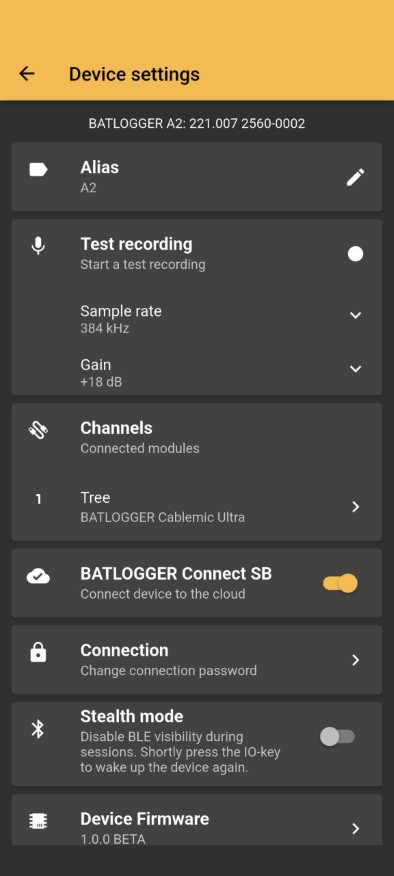
Test recording
To make a test recording choose the sample rate you want to use, which channel you want to record and hit the round recording button. The recording will be saved on the microSD card.
Settings for the test recordings will only apply to the test recordings, not your scheduled recordings.
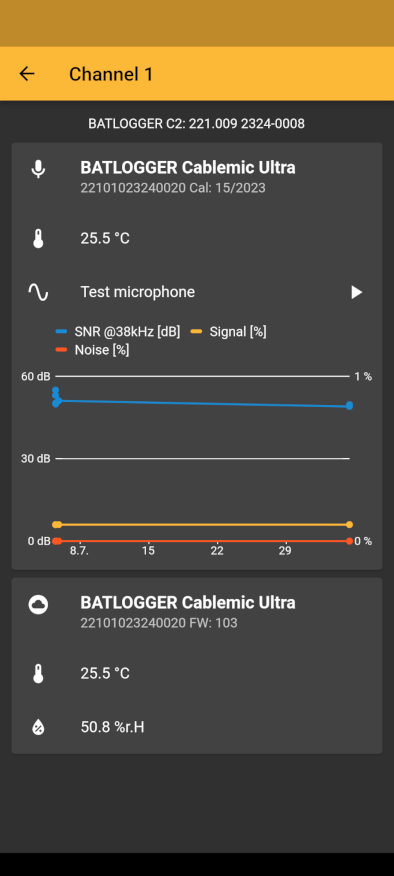
Channels (Mic Test)
All connected microphones are listed here. If your microphone does not show up, please restart the device and try again. To check if your microphone is still working properly, you can make a microphone test. Go to the channel you want to test and choose “test microphone”
BATLOGGER Connect
To activate the use of the internal SIM card, toggle this option. Whith this setting of, your BATLOGGER wont send any information through the SIM to BATLOGGER Connect.
Connection
Change the password you have set for this device.
Stealth mode
If you want to deactivate the Bluetooth Low Energy visibility you can activate the stealth mode. You (and others) won’t be able to see the device in the App again. To turn it back on to be able to connect to the device again, you need to push the On/Off button on the device.
Firmware
See which Firmware version is installed. To update the Firmware see: update firmware.
Hibernation
To turn the device completely off in case you don’t need it for a longer time (for example during winter) you can turn on Hibernation. To reactivate the device again, you need USB-Power/Charger.